2026 Spatial ComputingGraphics & Games
WWDC26 · 15 min · Spatial Computing / Graphics & Games
Discover USDKit and what’s new in OpenUSD
Dive into the latest advances in Universal Scene Description (USD) support on Apple platforms, including Swift-based USDKit, the new spatial preview API, and enhanced spatial web capabilities. Discover how the latest updates to the OpenUSD standard add support for accessibility, Gaussian splats, and compressed geometry. We’ll also walk through the expanded USD editing and rendering tools in Preview for Mac, showing you how to leverage these capabilities in your own apps.
Watch at developer.apple.com ↗Chapters
- 0:07 — Introduction
- 0:53 — OpenUSD: Industry Foundation and New Standards
- 2:51 — Gaussian Splats and Particle Fields
- 3:47 — Introducing USDKit
- 4:06 — 3D Editing in Preview and New Renderers
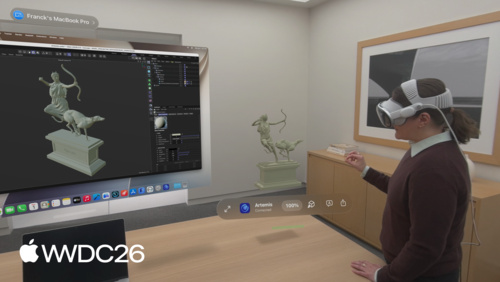
- 5:42 — Spatial Preview: Live Collaboration Between Mac and Vision Pro
- 6:25 — USD on the Web: The Safari Model Tag
- 6:57 — USDKit: Key Concepts and Swift API Walkthrough
- 10:05 — Accessibility Metadata in USD
- 11:19 — Asset Compression: Mesh and Texture
- 12:36 — Integration Paths: USDKit, SwiftUSD, and OpenUSD
- 13:24 — Next steps
Code shown on screen · 5 snippets
Opening a USD Stage
import USDKit

// Create a new empty in-memory stage

let stage = USDStage()

// Open a stage from a file on disk

let url = URL(fileURLWithPath: "/ALab/entry.usda")
let stage = try USDStage.open(url)
Traversing the Stage Hierarchy
// Traverse all prims looking for the oscilloscope
for prim in stage.descendants {
    if prim.name == "scope" {
        // There it is! 🔬
    }
}

// It wasn't there — define a new Xform prim for it

let scope = stage.definePrim(at: "/World/scope", type: “Xform"))

// Add a file reference to the prim

try scope.references.add(“/ALab/assets/scope.usda”)
Moving a Prim with a Transform Operation
// Creates xformOp:translate and updates xformOpOrder automatically

scope.addTransformOperation(type: .translate)
scope["xformOp:translate", as: USDValue.Vec3d.self] = [2.5, 0.0, -1.0]
Applying Accessibility Metadata
// Apply the multi-apply AccessibilityAPI schema with instance name "default"

try scope.applyAPISchema("AccessibilityAPI", instanceName:"default")

// Create the label and description attributes

scope.makeAttribute(named: "accessibility:default:label", as: .string)
scope.makeAttribute(named: "accessibility:default:description", as: .string)

// Set their values

scope["accessibility:default:label", as: String.self] = "Oscilloscope"
scope["accessibility:default:description", as: String.self] =
    "Vintage signal analyzer with a 3D wireframe display, topped by a color bar test monitor"
Exporting with Mesh and Texture Compression
let output = URL(fileURLWithPath: "/ALab/alab_compressed.usdz")

// Export the stage as a USDZ package

try stage.exportPackage(
    to: output,
    options: [
        .preferSmallTextureFiles(quality: .standard),   // compress textures
        .preferSmallMeshFiles                           // compress mesh geometry
    ]
)
Related sessions
-
 15 min