2026 SwiftUI & UI Frameworks
WWDC26 · 16 min · SwiftUI & UI Frameworks
Modernize your UIKit app
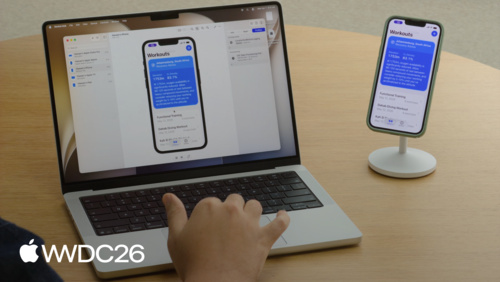
Discover the latest updates to UIKit. Learn how to update your iPhone app layouts to work great when resized with iPhone Mirroring and on iPad. Explore new APIs for tab and navigation bars, find out how to prepare your app for new Apple Intelligence capabilities, and get introduced to a skill for your coding agent of choice that helps modernize your codebase.
Watch at developer.apple.com ↗Chapters
- 0:00 — Introduction
- 0:34 — App adaptivity
- 2:10 — Legacy API: App lifecycle
- 2:51 — Legacy API: Main screen
- 5:46 — Full-screen mode for games
- 6:17 — Legacy API: User interface idiom
- 7:06 — Legacy API: Interface orientation
- 7:55 — UIView Body protocols for motion & location
- 8:19 — Test your resizable iPhone app
- 9:18 — Tab bars and sidebars
- 10:52 — Navigation bars
- 12:37 — Menus
- 13:01 — Integrate with Apple Intelligence
- 14:07 — Agentic coding
- 15:32 — Next steps
Code shown on screen · 11 snippets
Use local screen references
// Use local screen references
// Access the correct screen through a windowScene
let screen = window?.windowScene?.screen

// Pass in local screen references
func generateThumbnail(_ image: UIImage, screen: UIScreen) -> UIImage {
    // existing code, replacing main screen with local screen reference
    // ...
}
Replace screen scale with displayScale
// Replace the screen's scale with trait collection's displayScale
override func layoutSubviews() {
    super.layoutSubviews()

    // layoutSubviews will be called again automatically when displayScale changes
    let displayScale = traitCollection.displayScale
    // ...
}
Register for trait changes
// Manually register for trait changes
let displayScaleTrait: [UITrait] = [UITraitDisplayScale.self]
registerForTraitChanges(displayScaleTrait) {
    (view: GalleryView, previousTraitCollection: UITraitCollection) in
    view.cache.invalidate()
}
Monitor effective geometry changes
// UIWindowSceneDelegate
func windowScene(
    _ windowScene: UIWindowScene,
    didUpdateEffectiveGeometry previousEffectiveGeometry: UIWindowScene.Geometry
) {
    let geometry = windowScene.effectiveGeometry
    let availableSpace = geometry.coordinateSpace.bounds
    // ...
}
Check available space using view bounds
// Checking available space
override func viewDidLayoutSubviews() {
    super.viewDidLayoutSubviews()

    let availableSpace = view.bounds.size
    // ...
}
Configure motion and location body
// Configure motion and heading bodies
override func viewDidLoad() {
    super.viewDidLoad()

    motionManager.deviceMotionBody = view
    locationManager.headingBody = view
}
Opt into sidebar layout
tabBarController.sidebar.preferredPlacement = .sidebarCheck sidebar availability
tabBarController.sidebar.isAvailableSet prominent tab identifier
// Set the prominent tab
let tabs = [
    // ...
]
let tabBarController = UITabBarController(tabs: tabs)
tabBarController.prominentTabIdentifier = "cart"
Customize bar minimization behavior
// Customize bar minimization behavior
override init(
    nibName nibNameOrNil: String?,
    bundle nibBundleOrNil: Bundle?
) {
    super.init(nibName: nibNameOrNil, bundle: nibBundleOrNil)

    navigationItem.barMinimizationBehavior = .always
    navigationItem.barMinimizationSafeAreaAdjustment = .never
}
Export Xcode skills for use in other tools
xcrun agent skills exportResources
- TN3208: Preparing your app’s launch screen to meet App Store requirements
- TN3210: Optimizing your app for iPhone Mirroring
- Make your UIKit app more flexible
- Adapting your app when traits change
- Transitioning to the UIKit scene-based life cycle
- Automatic trait tracking
- Human Interface Guidelines: Menus
Related sessions
-
 17 min
 -
 16 min
 -
 17 min
 -
 24 min