2025 SwiftDeveloper Tools
WWDC25 · 25 min · Swift / Developer Tools
Record, replay, and review: UI automation with Xcode
Learn to record, run, and maintain XCUIAutomation tests in Xcode. Replay your XCTest UI tests in dozens of locales, device types, and system conditions using test plan configurations. Review your test results using the Xcode test report, and download screenshots and videos of your runs. We’ll also cover best practices for preparing your app for automation with Accessibility and writing stable, high-quality automation code.
Watch at developer.apple.com ↗Chapters
Code shown on screen · 11 snippets
Adding accessibility identifiers in SwiftUI
// Adding accessibility identifiers in SwiftUI
import SwiftUI

struct LandmarkDetailView: View {
  let landmark: Landmark
  var body: some View {
    VStack {
      Image(landmark.backgroundImageName)
        .accessibilityIdentifier("LandmarkImage-\(landmark.id)")

      Text(landmark.description)
        .accessibilityIdentifier("LandmarkDescription-\(landmark.id)")
    }
  }
}
Adding accessibility identifiers in UIKit
// Adding accessibility identifiers in UIKit
import UIKit

struct LandmarksListViewController: UIViewController {
  let landmarks: [Landmark] = [landmarkGreatBarrier, landmarkCairo]

  override func viewDidLoad() {
    super.viewDidLoad()

    for landmark in landmarks {
      let button = UIButton(type: .custom)
      setupButtonView()

      button.accessibilityIdentifier = "LandmarkButton-\(landmark.id)"

      view.addSubview(button)
    }
  }
}
Best practice: Prefer accessibility identifiers over localized strings
// Example SwiftUI view
struct CollectionDetailDisplayView: View {
  var body: some View {
    ScrollView {
      Text(collection.name)
        .font(.caption)
        .accessibilityIdentifier("Collection-\(collection.id)")
    }
  }
}

// Example of a worse XCUIElementQuery
XCUIApplication().staticTexts["Max's Australian Adventure"]

// Example of a better XCUIElementQuery
XCUIApplication().staticTexts["Collection-1"]
Best practice: Keep queries as concise as possible
// Example SwiftUI view
struct CollectionDetailDisplayView: View {
  var body: some View {
    ScrollView {
      Text(collection.name)
        .font(.caption)
        .accessibilityIdentifier("Collection-\(collection.id)")
    }
  }
}

// Example of a worse XCUIElementQuery
XCUIApplication().scrollViews.staticTexts["Collection-1"]

// Example of a better XCUIElementQuery
XCUIApplication().staticTexts["Collection-1"]
Best practice: Prefer generic queries for dynamic content
// Example SwiftUI view
struct CollectionDetailDisplayView: View {
  var body: some View {
    ScrollView {
      Text(collection.name)
        .font(.caption)
        .accessibilityIdentifier("Collection-\(collection.id)")
    }
  }
}

// Example of a worse XCUIElementQuery
XCUIApplication().staticTexts["Max's Australian Adventure"]

// Example of a better XCUIElementQuery
XCUIApplication().staticTexts.firstMatch
Add validations to a test case
// Add validations to the test case
import XCTest

class LandmarksUITests: XCTestCase {

  func testGreatBarrierAddedToFavorites() {
    let app = XCUIApplication()
    app.launch()
    app.cells["Landmark-186"].tap()
    XCTAssertTrue(
      app.staticTexts["Landmark-186"].waitForExistence(timeout: 10.0)),
      "Great Barrier exists"
    )

    let favoriteButton = app.buttons["Favorite"]
    favoriteButton.tap()
    XCTAssertTrue(
      favoriteButton.wait(for: \.value, toEqual: true, timeout: 10.0),
      "Great Barrier is a favorite"
    )
  }
}
Set up your device for test execution
// Set up your device for test execution
import XCTest
import CoreLocation

class LandmarksUITests: XCTestCase {

  override func setUp() {
    continueAfterFailure = false

    XCUIDevice.shared.orientation = .portrait
    XCUIDevice.shared.appearance = .light

    let simulatedLocation = CLLocation(latitude: 28.3114, longitude: -81.5535)
    XCUIDevice.shared.location = XCUILocation(location: simulatedLocation)
  }

}
Launch your app with environment variables and arguments
// Launch your app with environment variables and arguments
import XCTest

class LandmarksUITests: XCTestCase {

  func testLaunchWithDefaultCollection() {
    let app = XCUIApplication()
    app.launchArguments = ["ClearFavoritesOnLaunch"]
    app.launchEnvironment = ["DefaultCollectionName": "Australia 🐨 🐠"]
    app.launch()

    app.tabBars.buttons["Collections"].tap()
    XCTAssertTrue(app.buttons["Australia 🐨 🐠"].waitForExistence(timeout: 10.0))
  }
}
Launch your app using custom URL schemes
// Launch your app using custom URL schemes
import XCTest

class LandmarksUITests: XCTestCase {

  func testOpenGreatBarrier() {
    let app = XCUIApplication()
    let customURL = URL(string: "landmarks://great-barrier")!
    app.open(customURL)

    XCTAssertTrue(app.wait(for: .runningForeground, timeout: 10.0))
    XCTAssertTrue(app.staticTexts["Great Barrier Reef"].waitForExistence(timeout: 10.0))
  }
}
Launch your app using custom URL schemes and the system default app
// Launch your app using custom URL schemes
import XCTest

class LandmarksUITests: XCTestCase {

  func testOpenGreatBarrier() {
    let app = XCUIApplication()
    let customURL = URL(string: "landmarks://great-barrier")!
    XCUIDevice.shared.system.open(customURL)

    XCTAssertTrue(app.wait(for: .runningForeground, timeout: 10.0))
    XCTAssertTrue(app.staticTexts["Great Barrier Reef"].waitForExistence(timeout: 10.0))
  }
}
Perform an accessibility audit during an automation
// Perform an accessibility audit during an automation
import XCTest

class LandmarksUITests: XCTestCase {

  func testPerformAccessibilityAudit() {
    let app = XCUIApplication()
    try app.performAccessibilityAudit()
  }

}
Resources
Related sessions
-
 28 min
 -
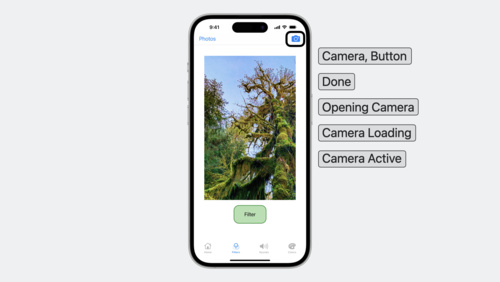 16 min
 -
 16 min
 -
 22 min
 -
 29 min
 -
 13 min
 -
 24 min