2025 App Services
WWDC25 · 18 min · App Services
Wake up to the AlarmKit API
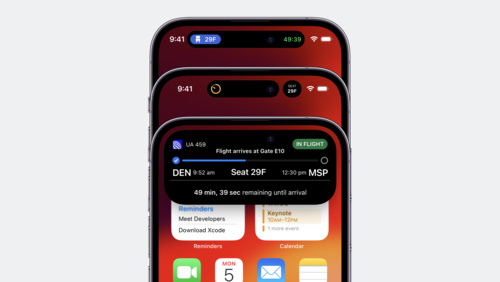
Rrrr-rrrrr-innng! From countdown timers in your recipe app to wake-up alarms in your travel planning app, the AlarmKit framework in iOS and iPadOS 26 brings timers and alarms to the Lock Screen, Dynamic Island, and more. Learn how to create and manage your app’s alarms, customize their Live Activities, and offer custom alert actions using the App Intents framework. To get the most from this video, we recommend first watching “Meet ActivityKit” from WWDC23.
Watch at developer.apple.com ↗Chapters
Code shown on screen · 14 snippets
Check authorization status
// Check authorization status

import AlarmKit

func checkAuthorization() {

  switch AlarmManager.shared.authorizationState {
    case .notDetermined:
      // Manually request authorization
    case .authorized:
      // Proceed with scheduling
    case .denied:
      // Inform status is not authorized
  }

}
Set up the countdown duration
// Set up the countdown duration

import AlarmKit

func scheduleAlarm() {

  /* ... */

  let countdownDuration = Alarm.CountdownDuration(preAlert: (10 * 60), postAlert: (5 * 60))

  /* ... */
}
Set a fixed schedule
// Set a fixed schedule

import AlarmKit

func scheduleAlarm() {

  /* ... */

  let keynoteDateComponents = DateComponents(
    calendar: .current,
    year: 2025,
    month: 6,
    day: 9,
    hour: 9,
    minute: 41)
  let keynoteDate = Calendar.current.date(from: keynoteDateComponents)!
  let scheduleFixed = Alarm.Schedule.fixed(keynoteDate)

  /* ... */

}
Set a relative schedule
// Set a relative schedule

import AlarmKit

func scheduleAlarm() {

  /* ... */

  let time = Alarm.Schedule.Relative.Time(hour: 7, minute: 0)
  let recurrence = Alarm.Schedule.Relative.Recurrence.weekly([
    .monday,
    .wednesday,
    .friday
  ])

  let schedule = Alarm.Schedule.Relative(time: time, repeats: recurrence)

  /* ... */

}
Set up alert appearance with dismiss button
// Set up alert appearance with dismiss button

import AlarmKit

func scheduleAlarm() async throws {
    typealias AlarmConfiguration = AlarmManager.AlarmConfiguration<CookingData>

    let id = UUID()
    let duration = Alarm.CountdownDuration(preAlert: (10 * 60), postAlert: (5 * 60))

    let stopButton = AlarmButton(
        text: "Dismiss",
        textColor: .white,
        systemImageName: "stop.circle")

    let alertPresentation = AlarmPresentation.Alert(
        title: "Food Ready!",
        stopButton: stopButton)

    let attributes = AlarmAttributes<CookingData>(
        presentation: AlarmPresentation(
            alert: alertPresentation),
        tintColor: Color.green)

    let alarmConfiguration = AlarmConfiguration(
        countdownDuration: duration,
        attributes: attributes)

    try await AlarmManager.shared.schedule(id: id, configuration: alarmConfiguration)
}
Set up alert appearance with repeat button
// Set up alert appearance with repeat button

import AlarmKit

func scheduleAlarm() async throws {
    typealias AlarmConfiguration = AlarmManager.AlarmConfiguration<CookingData>

    let id = UUID()
    let duration = Alarm.CountdownDuration(preAlert: (10 * 60), postAlert: (5 * 60))

    let stopButton = AlarmButton(
        text: "Dismiss",
        textColor: .white,
        systemImageName: "stop.circle")

    let repeatButton = AlarmButton(
        text: "Repeat",
        textColor: .white,
        systemImageName: "repeat.circle")

    let alertPresentation = AlarmPresentation.Alert(
        title: "Food Ready!",
        stopButton: stopButton,
        secondaryButton: repeatButton,
        secondaryButtonBehavior: .countdown)

    let attributes = AlarmAttributes<CookingData>(
        presentation: AlarmPresentation(alert: alertPresentation),
        tintColor: Color.green)

    let alarmConfiguration = AlarmConfiguration(
        countdownDuration: duration,
        attributes: attributes)

    try await AlarmManager.shared.schedule(id: id, configuration: alarmConfiguration)
}
Create a Live Activity for a countdown
// Create a Live Activity for a countdown

import AlarmKit
import ActivityKit
import WidgetKit

struct AlarmLiveActivity: Widget {

  var body: some WidgetConfiguration {
    ActivityConfiguration(for: AlarmAttributes<CookingData>.self) { context in

      switch context.state.mode {
      case .countdown:
        countdownView(context)
      case .paused:
        pausedView(context)
      case .alert:
        alertView(context)
      }

    } dynamicIsland: { context in

      DynamicIsland {
        DynamicIslandExpandedRegion(.leading) {
          leadingView(context)
        }
        DynamicIslandExpandedRegion(.trailing) {
          trailingView(context)
        }
      } compactLeading: {
        compactLeadingView(context)
      } compactTrailing: {
        compactTrailingView(context)
      } minimal: {
        minimalView(context)
      }

    }
  }
}
Create custom metadata for the Live Activity
// Create custom metadata for the Live Activity

import AlarmKit

struct CookingData: AlarmMetadata {
  let method: Method

  init(method: Method) {
    self.method = method
  }

  enum Method: String, Codable {
    case frying = "frying.pan"
    case grilling = "flame"
  }
}
Provide custom metadata to the Live Activity
// Provide custom metadata to the Live Activity

import AlarmKit

func scheduleAlarm() async throws {
    typealias AlarmConfiguration = AlarmManager.AlarmConfiguration<CookingData>

    let id = UUID()
    let duration = Alarm.CountdownDuration(preAlert: (10 * 60), postAlert: (5 * 60))
    let customMetadata = CookingData(method: .frying)

    let stopButton = AlarmButton(
        text: "Dismiss",
        textColor: .white,
        systemImageName: "stop.circle")

    let repeatButton = AlarmButton(
        text: "Repeat",
        textColor: .white,
        systemImageName: "repeat.circle")

    let alertPresentation = AlarmPresentation.Alert(
        title: "Food Ready!",
        stopButton: stopButton,
        secondaryButton: repeatButton,
        secondaryButtonBehavior: .countdown)

    let attributes = AlarmAttributes<CookingData>(
        presentation: AlarmPresentation(alert: alertPresentation),
        metadata: customMetadata,
        tintColor: Color.green)

    let alarmConfiguration = AlarmConfiguration(
        countdownDuration: duration,
        attributes: attributes)

    try await AlarmManager.shared.schedule(id: id, configuration: alarmConfiguration)
}
Use custom metadata in the Live Activity
// Use custom metadata in the Live Activity

import AlarmKit
import ActivityKit
import WidgetKit

struct AlarmLiveActivity: Widget {

  var body: some WidgetConfiguration { /* ... */ }

  func alarmIcon(context: ActivityViewContext<AlarmAttributes<CookingData>>) -> some View {
    let method = context.attributes.metadata?.method ?? .grilling
    return Image(systemName: method.rawValue)
  }

}
Set up the system countdown appearance
// Set up the system countdown appearance

import AlarmKit

func scheduleAlarm() async throws {
  typealias AlarmConfiguration = AlarmManager.AlarmConfiguration<CookingData>

  let id = UUID()
  let duration = Alarm.CountdownDuration(preAlert: (10 * 60), postAlert: (5 * 60))
  let customMetadata = CookingData(method: .frying)

  let stopButton = AlarmButton(
    text: "Dismiss",
    textColor: .white,
    systemImageName: "stop.circle")

  let repeatButton = AlarmButton(
    text: "Repeat",
    textColor: .white,
    systemImageName: "repeat.circle")

  let alertPresentation = AlarmPresentation.Alert(
    title: "Food Ready!",
    stopButton: stopButton,
    secondaryButton: repeatButton,
    secondaryButtonBehavior: .countdown)

  let pauseButton = AlarmButton(
    text: "Pause",
    textColor: .green,
    systemImageName: "pause")

  let countdownPresentation = AlarmPresentation.Countdown(
    title: "Cooking",
    pauseButton: pauseButton)

  let attributes = AlarmAttributes<CookingData>(
    presentation: AlarmPresentation(
      alert: alertPresentation,
      countdown: countdownPresentation),
    metadata: customMetadata,
    tintColor: Color.green)

  let alarmConfiguration = AlarmConfiguration(
    countdownDuration: duration,
    attributes: attributes)

  try await AlarmManager.shared.schedule(id: id, configuration: alarmConfiguration)

}
Set up the system paused appearance
// Set up the system paused appearance

import AlarmKit

func scheduleAlarm() async throws {
  typealias AlarmConfiguration = AlarmManager.AlarmConfiguration<CookingData>

  let id = UUID()
  let duration = Alarm.CountdownDuration(preAlert: (10 * 60), postAlert: (5 * 60))
  let customMetadata = CookingData(method: .frying)

  let stopButton = AlarmButton(
    text: "Dismiss",
    textColor: .white,
    systemImageName: "stop.circle")

  let repeatButton = AlarmButton(
    text: "Repeat",
    textColor: .white,
    systemImageName: "repeat.circle")

  let alertPresentation = AlarmPresentation.Alert(
    title: "Food Ready!",
    stopButton: stopButton,
    secondaryButton: repeatButton,
    secondaryButtonBehavior: .countdown)

  let pauseButton = AlarmButton(
    text: "Pause",
    textColor: .green,
    systemImageName: "pause")

  let countdownPresentation = AlarmPresentation.Countdown(
    title: "Cooking",
    pauseButton: pauseButton)

  let resumeButton = AlarmButton(
    text: "Resume",
    textColor: .green,
    systemImageName: "play")

  let pausedPresentation = AlarmPresentation.Paused(
    title: "Paused",
    resumeButton: resumeButton)

  let attributes = AlarmAttributes<CookingData>(
    presentation: AlarmPresentation(
      alert: alertPresentation,
      countdown: countdownPresentation,
      paused: pausedPresentation),
    metadata: customMetadata,
    tintColor: Color.green)

  let alarmConfiguration = AlarmConfiguration(
    countdownDuration: duration,
    attributes: attributes)

  try await AlarmManager.shared.schedule(id: id, configuration: alarmConfiguration)

}
Add a custom button
// Add a custom button
import AlarmKit
import AppIntents
func scheduleAlarm() async throws {
typealias AlarmConfiguration = AlarmManager.AlarmConfiguration<CookingData>
let id = UUID()
let duration = Alarm.CountdownDuration(preAlert: (10 * 60), postAlert: (5 * 60))
let customMetadata = CookingData(method: .frying)
let secondaryIntent = OpenInApp(alarmID: id.uuidString)
let stopButton = AlarmButton(
text: "Dismiss",
textColor: .white,
systemImageName: "stop.circle")
let openButton = AlarmButton(
text: "Open",
textColor: .white,
systemImageName: "arrow.right.circle.fill")
let alertPresentation = AlarmPresentation.Alert(
title: "Food Ready!",
stopButton: stopButton,
secondaryButton: openButton,
secondaryButtonBehavior: .custom)
let pauseButton = AlarmButton(
text: "Pause",
textColor: .green,
systemImageName: "pause")
let countdownPresentation = AlarmPresentation.Countdown(
title: "Cooking",
pauseButton: pauseButton)
let resumeButton = AlarmButton(
text: "Resume",
textColor: .green,
systemImageName: "play")
let pausedPresentation = AlarmPresentation.Paused(
title: "Paused",
resumeButton: resumeButton)
let attributes = AlarmAttributes<CookingData>(
presentation: AlarmPresentation(
alert: alertPresentation,
countdown: countdownPresentation,
paused: pausedPresentation),
metadata: customMetadata,
tintColor: Color.green)
let alarmConfiguration = AlarmConfiguration(
countdownDuration: duration,
attributes: attributes,
secondaryIntent: secondaryIntent)
try await AlarmManager.shared.schedule(id: id, configuration: alarmConfiguration)
}
public struct OpenInApp: LiveActivityIntent {
public func perform() async throws -> some IntentResult { .result() }
public static var title: LocalizedStringResource = "Open App"
public static var description = IntentDescription("Opens the Sample app")
public static var openAppWhenRun = true
(title: "alarmID")
public var alarmID: String
public init(alarmID: String) {
self.alarmID = alarmID
}
public init() {
self.alarmID = ""
}
}Add a custom sound
// Add a custom sound
import AlarmKit
import AppIntents
func scheduleAlarm() async throws {
typealias AlarmConfiguration = AlarmManager.AlarmConfiguration<CookingData>
let id = UUID()
let duration = Alarm.CountdownDuration(preAlert: (10 * 60), postAlert: (5 * 60))
let customMetadata = CookingData(method: .frying)
let secondaryIntent = OpenInApp(alarmID: id.uuidString)
let stopButton = AlarmButton(
text: "Dismiss",
textColor: .white,
systemImageName: "stop.circle")
let openButton = AlarmButton(
text: "Open",
textColor: .white,
systemImageName: "arrow.right.circle.fill")
let alertPresentation = AlarmPresentation.Alert(
title: "Food Ready!",
stopButton: stopButton,
secondaryButton: openButton,
secondaryButtonBehavior: .custom)
let pauseButton = AlarmButton(
text: "Pause",
textColor: .green,
systemImageName: "pause")
let countdownPresentation = AlarmPresentation.Countdown(
title: "Cooking",
pauseButton: pauseButton)
let resumeButton = AlarmButton(
text: "Resume",
textColor: .green,
systemImageName: "play")
let pausedPresentation = AlarmPresentation.Paused(
title: "Paused",
resumeButton: resumeButton)
let attributes = AlarmAttributes<CookingData>(
presentation: AlarmPresentation(
alert: alertPresentation,
countdown: countdownPresentation,
paused: pausedPresentation),
metadata: customMetadata,
tintColor: Color.green)
let sound = AlertConfiguration.AlertSound.named("Chime")
let alarmConfiguration = AlarmConfiguration(
countdownDuration: duration,
attributes: attributes,
secondaryIntent: secondaryIntent,
sound: sound)
try await AlarmManager.shared.schedule(id: id, configuration: alarmConfiguration)
}
public struct OpenInApp: LiveActivityIntent {
public func perform() async throws -> some IntentResult { .result() }
public static var title: LocalizedStringResource = "Open App"
public static var description = IntentDescription("Opens the Sample app")
public static var openAppWhenRun = true
(title: "alarmID")
public var alarmID: String
public init(alarmID: String) {
self.alarmID = alarmID
}
public init() {
self.alarmID = ""
}
}Resources
Related sessions
-
 17 min
 -
 25 min