2023 EssentialsDeveloper Tools
WWDC23 · 23 min · Essentials / Developer Tools
What’s new in Xcode 15
Discover the latest productivity and performance improvements in Xcode 15. Explore enhancements to code completion and Xcode Previews, learn about the test navigator and test report, and find out more about the streamlined distribution process. We’ll also highlight improved navigation, source control management, and debugging.
Watch at developer.apple.com ↗Chapters
- 0:00 — Introduction
- 0:39 — Downloading Xcode
- 1:29 — Code completion updates
- 3:45 — What's new in asset catalogs
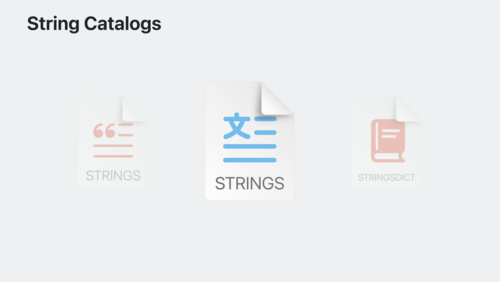
- 4:30 — Meet string catalogs
- 5:25 — What's new in Swift-DocC
- 7:01 — Meet Swift macros
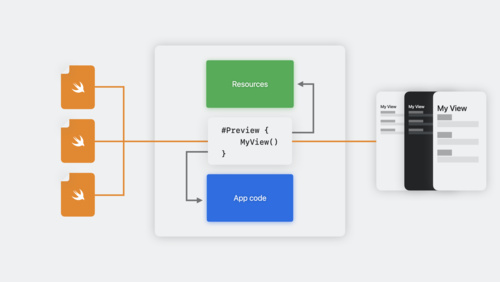
- 8:40 — What's new in Previews
- 10:00 — The bookmark navigator
- 12:18 — What's new in source control
- 14:50 — What's new in testing
- 17:23 — Updates in the debug console
- 18:37 — Updates in Xcode Cloud distribution
- 19:37 — Signature verification and privacy manifests
- 21:03 — What's new in Xcode distribution
Code shown on screen · 8 snippets
Code Completion - PlantSummaryRow
import Foundation
import SwiftUI
import BackyardBirdsData
import LayeredArtworkLibrary

struct PlantSummaryRow: View {
    var plant: Plant
    var body: some View {
        VStack {
            ComposedPlant(plant: plant)
                .padding(4)
                .padding(.bottom, -20)
                .clipShape(.circle)
                .background(.fill.tertiary, in: .circle)
                .padding(.horizontal, 10)

            VStack {
                Text(plant.speciesName)
            }
        }
    }
}
Code Completion - Latitude & Longitude
func locationManager(_ manager: CLLocationManager, didUpdateLocations locations: [CLLocation]) {
    if let mostRecent = locations.last?.coordinate {
        logger.debug("Handled coordinate update: \(mostRecent.latitude)")
    }
}
BirdIcon Documentation
/// Create the bird icon view.
///
/// The bird icon view is a tailored version of the ``ComposedBird`` view.
///
/// Use this initializer to display an image of a given bird.
///
/// ```swift
/// var bird: Bird
///
/// var body: some View {
/// HStack {
/// BirdIcon(bird: bird)
/// .frame(width: 60, height: 60)
/// Text(bird.speciesName)
/// }
/// }
/// ```
///
/// CaseDetection Macro
extension TokenSyntax {
    fileprivate var initialUppercased: String {
        let name = self.text
        guard let initial = name.first else {
            return name
        }

        return "\(initial.uppercased())\(name.dropFirst())"
  }
}

public struct CaseDetectionMacro: MemberMacro {
    public static func expansion<
        Declaration: DeclGroupSyntax, Context: MacroExpansionContext
    >(
        of node: AttributeSyntax,
        providingMembersOf declaration: Declaration,
        in context: Context
    ) throws -> [DeclSyntax] {
        declaration.memberBlock.members
            .compactMap { $0.decl.as(EnumCaseDeclSyntax.self) }
            .map { $0.elements.first!.identifier }
            .map { ($0, $0.initialUppercased) }
            .map { original, uppercased in
                """
                var is\(raw: uppercased): Bool {
                    if case .\(raw: original) = self {
                        return true
                    }

                    return false
                }
                """
            }
    }
}

@main
struct EnumHelperPlugin: CompilerPlugin {
    let providingMacros: [Macro.Type] = [
        CaseDetectionMacro.self,
    ]
}
Using CaseDetection Macro
enum Element {
case one
case two
}
var element: Element = .one
if element.isOne {
// Handle interesting case
}New Preview API
#Preview {
    AppDetailColumn(screen: .account)
        .backyardBirdsDataContainer()
}

#Preview("Placeholder View") {
    AppDetailColumn()
        .backyardBirdsDataContainer()
}
UIViewController Preview
#Preview {
    let controller = DetailedMapViewController()

    controller.mapView.camera = MKMapCamera(
        lookingAtCenter: CLLocation(latitude: 37.335_690, longitude: -122.013_330).coordinate,
        fromDistance: 0,
        pitch: 0,
        heading: 0
    )
    return controller
}
OSLog
import OSLog

let logger = Logger(subsystem: "BackyardBirdsData", category: "Account")

func login(password: String) -> Error? {
    var error: Error? = nil
    logger.info("Logging in user '\(username)'...")

    // ...

    if let error {
        logger.error("User '\(username)' failed to log in. Error: \(error)")
    } else {
        loggedIn = true
        logger.notice("User '\(username)' logged in successfully.")
    }
    return error
}
Resources
Related sessions
-
 13 min
 -
 17 min
 -
 32 min
 -
 34 min
 -
 40 min
 -
 13 min
 -
 16 min
 -
 14 min
 -
 34 min
 -
 27 min