2023 Spatial Computing
WWDC23 · 17 min · Spatial Computing
Explore rendering for spatial computing
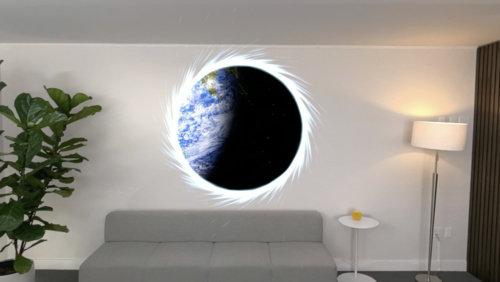
Find out how you can take control of RealityKit rendering to improve the look and feel of your apps and games on visionOS. Discover how you can customize lighting, add grounding shadows, and control tone mapping for your content. We’ll also go over best practices for two key treatments on the platform: rasterization rate maps and dynamic content scaling.
Watch at developer.apple.com ↗Chapters
Code shown on screen · 4 snippets
Image based lighting
RealityView { content in
    async let satellite = Entity(named: "Satellite", in: worldAssetsBundle)
    async let environment = EnvironmentResource(named: "Sunlight")

    if let satellite = try? await satellite, let environment = try? await environment {
        content.add(satellite)

        satellite.components.set(ImageBasedLightComponent(
           source: .single(environment)))

        satellite.components.set(ImageBasedLightReceiverComponent(
           imageBasedLight: satellite))
   }
}
Grounding shadows
RealityView { content in
    if let vase = try? await Entity(named: "flower_tulip") {
        content.add(vase)

        vase.components.set(GroundingShadowComponent(castsShadow: true))
    }
}
Disable tone mapping
RealityView { content in
    if let trafficLight = try? await Entity(named: "traffic_light") {
        content.add(trafficLight)

        if let lamp = trafficLight.findEntity(named: "red_light") {
            if var model = lamp.components[ModelComponent.self] {
                let material = UnlitMaterial(color: .init(color),
                                             applyPostProcessToneMap: false)

                model.materials = [material]

                lamp.components[ModelComponent.self] = model
            }
        }
    }
}
Dynamic content scaling
// Enable dynamic content scaling on CALayer with:

var wantsDynamicContentScaling: Bool { get set }
Resources
Related sessions
-
 21 min
 -
 29 min
 -
 20 min