2022 SwiftUI & UI Frameworks
WWDC22 · 24 min · SwiftUI & UI Frameworks
What’s new in UIKit
Discover the latest updates and improvements to UIKit and learn how to build better iPadOS, iOS, and Mac Catalyst apps. We’ll take you through UI refinements, productivity updates, API enhancements, and more. We’ll also help you explore improvements to performance, security, and privacy.
Watch at developer.apple.com ↗Code shown on screen · 7 snippets
Configuring a UICalendarView with multi-date selection
// Configuring a calendar view with multi-date selection

let calendarView = UICalendarView()
calendarView.delegate = self
calendarView.calendar = Calendar(identifier: .gregorian)
view.addSubview(calendarView)

let multiDateSelection = UICalendarSelectionMultiDate(delegate: self)
multiDateSelection.selectedDates = myDatabase.selectedDates()
calendarView.selectionBehavior = multiDateSelection

func multiDateSelection(
    _ selection: UICalendarSelectionMultiDate,
    canSelectDate dateComponents: DateComponents
) -> Bool {
    return myDatabase.hasAvailabilities(for: dateComponents)
}
Configure UICalendarView decorations.
// Configuring Decorations
func calendarView(
    _ calendarView: UICalendarView,
    decorationFor dateComponents: DateComponents
) -> UICalendarView.Decoration? {
    switch myDatabase.eventType(on: dateComponents) {
    case .none:
        return nil
    case .busy:
        return .default()
    case .travel:
        return .image(airplaneImage, color: .systemOrange)
    case .party:
        return .customView {
            MyPartyEmojiLabel()
        }
    }
}
Setting up a vertical UIPageControl with custom indicators
// Vertical page control with custom indicators

pageControl.direction = .topToBottom
pageControl.preferredIndicatorImage = UIImage(systemNamed: "square")
pageControl.preferredCurrentIndicatorImage = UIImage(systemNamed: "square.fill")
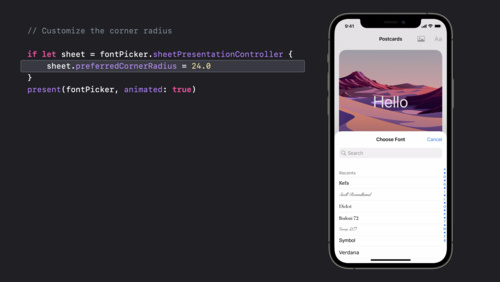
Creating a custom sheet detent
// Create a custom detent
sheet.detents = [
    .large(),
    .custom { _ in
        200.0
    }
]
Creating a custom sheet detent using a percentage of maximum detent height
// Create a custom detent
sheet.detents = [
    .large(),
    .custom { context in
        0.3 * context.maximumDetentValue
    }
]
Assigning identifiers to custom sheet detents
// Define a custom identifier
extension UISheetPresentationController.Detent.Identifier {
    static let small = UISheetPresentationController.Detent.Identifier("small")
}

// Assign identifier to custom detent
sheet.detents = [
    .large(),
    .custom (identifier: .small) { context in
        0.3 * context.maximumDetentValue
    }
]

// Disable dimming above the custom detent
sheet.largestUndimmedDetentIdentifier = .small
UIHostingConfiguration example
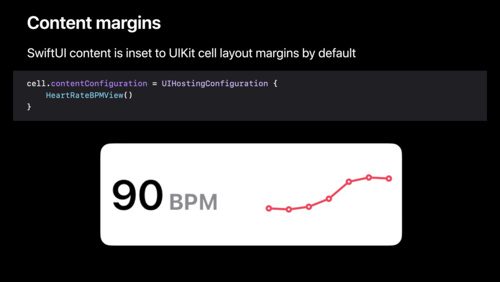
cell.contentConfiguration = UIHostingConfiguration {
    VStack {
        Image(systemName: "wand.and.stars")
            .font(.title)
        Text("Like magic!")
            .font(.title2).bold()
    }
    .foregroundStyle(Color.purple)
}
Resources
Related sessions
-
 16 min
 -
 20 min
 -
 21 min
 -
 26 min
 -
 24 min
 -
 18 min
 -
 17 min
 -
 25 min
 -
 29 min
 -
 12 min