2020 Business & Education
WWDC20 · 25 min · Business & Education
What’s new in ClassKit
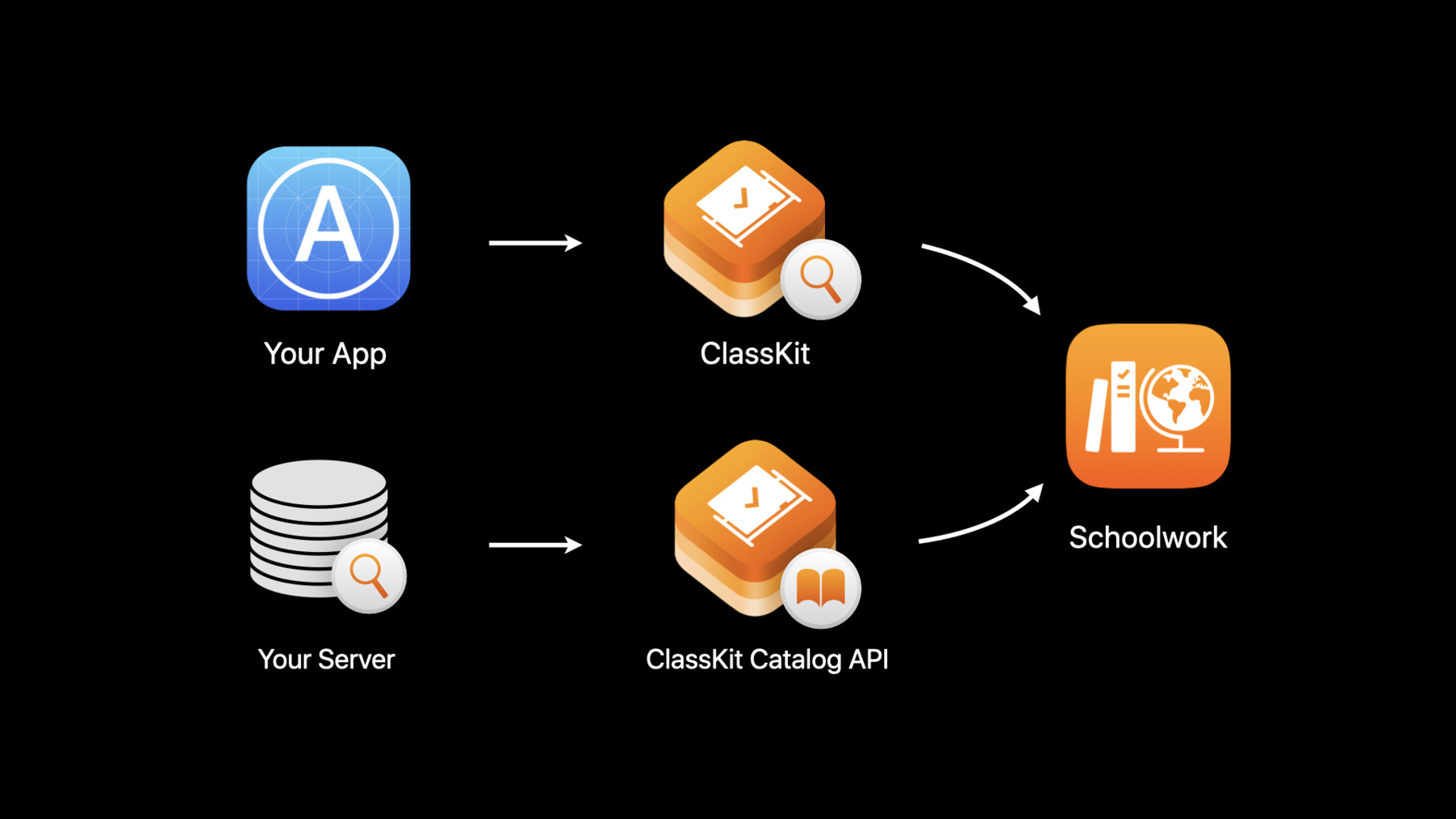
The ClassKit framework helps you surface educational activities within your app to teachers through the Schoolwork app. Discover how to provide a richer assignment experience for students and teachers through enhanced metadata properties and progress reporting. We’ll also show you how the new ClassKit Catalog APIs decouple management of your content from that of your app and improve overall discoverability.
Watch at developer.apple.com ↗Code shown on screen · 4 snippets
Add Thumbnail and Summary to Quiz Context
// Create a context for quiz
let quizContext = CLSContext.init(type: CLSContextType.quiz, identifier: "science_Investigation_quiz", title: "Measurements Quiz")

// Add a summary describing this context
quizContext.summary = "A short quiz to test how much students know about scientific measurements and how to examine and analyze scientific data."

// Add a thumbnail for this context — ClassKit will downsize thumbnails to 330 x 330 px if needed
let bundle = Bundle.main
if let resourceURL = bundle.resourceURL {
    let imageURL = resourceURL.appendingPathComponent("measurements_quiz.jpg")
    if let thumbnail = thumbnailFromImage(atURL: imageURL) {
        quizContext.thumbnail = thumbnail
    }
}
thumbnailFromImage
// Create a thumbnail of maximum dimension 330 x 330 px from an image file
func thumbnailFromImage(atURL: URL) -> CGImage? {
   if let imageSource = CGImageSourceCreateWithURL(atURL as CFURL, nil) {
       let thumbnailOptions = [kCGImageSourceCreateThumbnailFromImageAlways as String: true,
                               kCGImageSourceThumbnailMaxPixelSize as String: 330]
       return CGImageSourceCreateThumbnailAtIndex(
           imageSource, 0, thumbnailOptions as CFDictionary);
   }
   return nil
}
Add suggestedAge and suggestedCompletionTime
// Add suggested age range appropriate for the content — ages 9 to 11 years

quizContext.suggestedAge = NSRange(9...11)

// Add suggested time to complete this quiz — 15 to 20 minutes

quizContext.suggestedCompletionTime = NSRange(15...20)
Add progress reporting capabilities
// Add progress reporting capabilities

let reportingPercentDetails = "Reports percentage of progress"
let reportingCapabilityPercent = CLSProgressReportingCapability.init(
        kind: .percent,
        details: reportingPercentDetails)

let reportingQuantityDetails = "Reports number of hints used"
let reportingCapabilityQuantity = CLSProgressReportingCapability.init(
        kind: .quantity,
        details: reportingQuantityDetails)

quizContext.addProgressReportingCapabilities([reportingCapabilityPercent,
                                       reportingCapabilityQuantity])
Resources
Related sessions
-
 11 min