2020 SwiftUI & UI Frameworks

WWDC20 · 20 min · SwiftUI & UI Frameworks
Streamline your App Clip
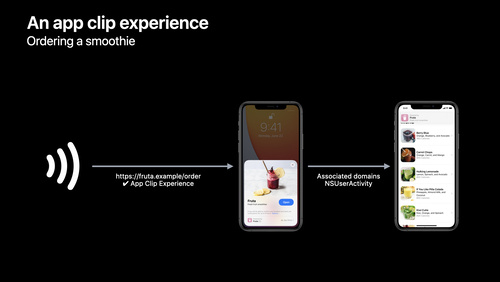
App Clips are best when they provide an “in the moment” experience for people using them, like ordering your favorite refreshing beverage or paying for parking. We’ll share guidelines and best practices for building focused and consistent App Clips, show you how to streamline transaction experiences by taking advantage of technologies like App Clip notifications and location confirmation, and explore how you can help people move from your App Clip over to your full app. To get the most out of this session, we recommend first watching “Explore App Clips” and “Configure and link your App Clips.”
Watch at developer.apple.com ↗Code shown on screen · 5 snippets
Confirm a physical code's location.
import AppClip

guard let payload = userActivity.appClipActivationPayload else {
    return
}

let region = CLCircularRegion(center: CLLocationCoordinate2D(latitude: 37.3298193,
    longitude: -122.0071671), radius: 100, identifier: "apple_park")

payload.confirmAcquired(in: region) { (inRegion, error) in

}
Query if user has granted app clip notification on app clip card.
import UserNotifications

let center = UNUserNotificationCenter.current()

center.getNotificationSettings { (settings) in
   if settings.authorizationStatus == .ephemeral {
        // User has already granted ephemeral notification.
    }

}
Embed SKOverlay to your app clip
import SwiftUI
import StoreKit
struct ContentView : View {
private var finishedPaymentFlow = false
var body: some View {
NavigationView {
CheckoutView($finishedPaymentFlow)
}
.appStoreOverlay(isPresented: $finishedPaymentFlow) {
SKOverlay.AppClipConfiguration(position: .bottom)
}
}
}Save user ID in app clip's secure app group.
// Automatically log in with Sign in with Apple
import AuthenticationServices

SignInWithAppleButton(.signUp, onRequest: { _ in
}, onCompletion: { result in
    switch result {
    case .success(let authorization):
        guard let secureAppGroupURL =
            FileManager.default.containerURL(forSecurityApplicationGroupIdentifier:
                "group.com.example.apple-samplecode.fruta")
            else { return };
        guard let credential = authorization.credential as? ASAuthorizationAppleIDCredential
            else { return }
        save(userID: credential.user, in: secureAppGroupURL)
    case .failure(let error):
        print(error)
   }
})
Automatically sign in users to your app if they have signed into your app clip.
import AuthenticationServices

let provider = ASAuthorizationAppleIDProvider()
guard let secureAppGroupURL =
    FileManager.default.containerURL(forSecurityApplicationGroupIdentifier:
        "group.com.example.apple-samplecode.fruta")
    else { return };
let user = readUserID(in: secureAppGroupURL)
provider.getCredentialState(forUserID: user) { state, error in
    if state == .authorized {
       loadFavoriteSmoothies(userID: user)
   }
}
Resources
Related sessions
-
 19 min
 -
 23 min
 -
 22 min
 -
 20 min
 -
 46 min
 -
 24 min
 -
 36 min
 -
 38 min